I am trying to use my selfhosted Merchant backend that uses the Taler Backoffice 1.2.6 (24:0:12) from the official .deb repo with the official KUDOS exchange and bank.
The backend itself seems to run fine and I also configured the exchange in the main config file as follows:
[merchant-exchange-kudos]
EXCHANGE_BASE_URL = “https://exchange.demo.taler.net/”
MASTER_KEY = “F80MFRG8HVH6R9CQ47KRFQSJP3T6DBJ4K1D9B703RJY3Z39TBMJ0”
CURRENCY = KUDOS
But when I try to place an manual order in the Merchant backend I get the following error:
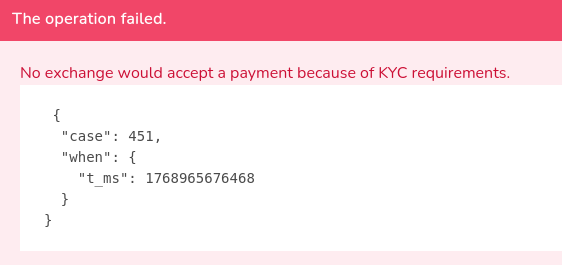
The bank configuration with https://bank.demo.taler.net/ seems to work fine with the test, but after a restart of the Merchant backend there is now a orange KYC Status warning in the sidebar that looks like this:

and when I click on it the error shows:
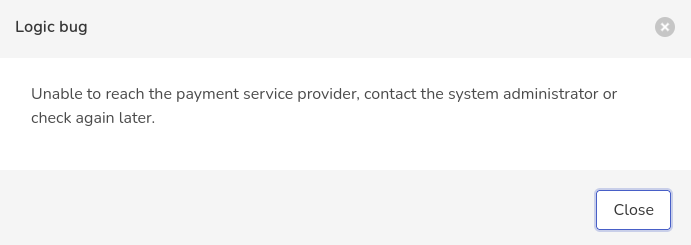
I suspect is is related to the following error in the logs:
2026-01-21T03:26:27.307602+0000 taler-merchant-httpd-1 WARNING No keys yet for `https://exchange.demo.taler.net/’
and
2026-01-21T03:45:38.832104+0000 taler-merchant-httpd-1(6PEFXSD5R0XG041E34DCWHC068) WARNING Failed to download ``https://exchange.demo.taler.net/keys
But I clearly set the MASTER_KEY in the config and I can’t find anything else in the documentation regarding other keys.
It is also a bit odd that https://exchange.demo.taler.net/keys says kyc_enabled: false
Any idea what could be the cause of this problem? Thanks.