Hello
We are working on the Taler Kivitendo ERP integration and we managed to set up a merchant backend for testing purposes.
We ran into an issue somewhat similar to this:
Can’t connect selfhosted Merchant to official KUDOS exchange
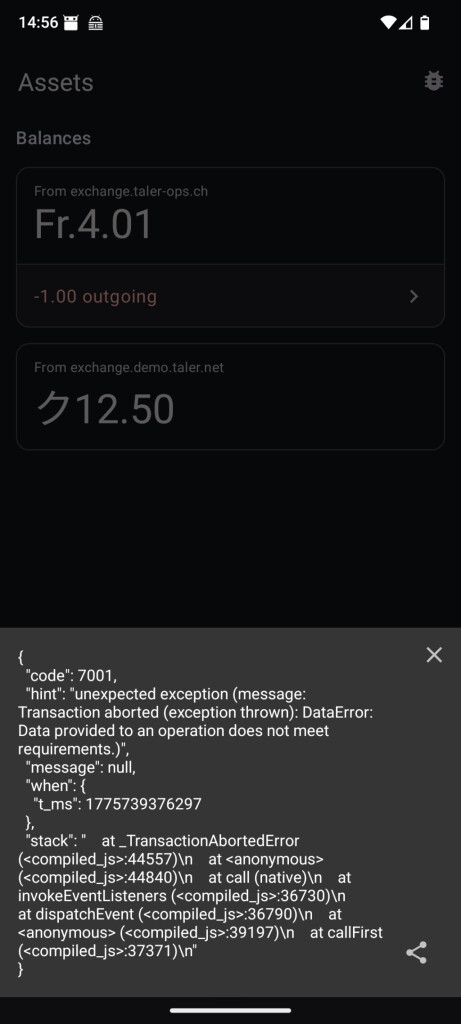
However in our case we managed to create an order. But when trying to pay the order using a wallet, we get an error:
I’m not sure what to do in order to debug this further. Does anybody have an idea or should we report it in the Taler mailing list or maybe open an issue?
Thanks, Best
Edit: We documented our setup process here: https://codeberg.org/revamp-it/kivi-taler-integration-design-docs/src/branch/main/01a-Setup-and-testing-of-the-merchant-backend.md
The merchant backend version is: 25:0:13
The wallet is Android app version: 1.5.0 (fdroid 812) wallet core version 1.5.2 (1caeedd)
The version mismatch is worth checking first: merchant backend 0:13 against wallet core 1.5.2 may mean the wallet expects protocol fields your backend doesn’t send. Debugging steps I’d suggest: check the merchant backend logs during the payment attempt, since the wallet’s error screen usually hides the HTTP status and response body, and confirm whether the wallet can fetch the order status endpoint directly. Also verify the exchange the order names is actually reachable with a valid KUDOS configuration, and that the merchant’s configured exchange URL matches it exactly. If the logs show a protocol or signature error, the mailing list is a reasonable next stop before opening an issue.
Checking the merchant backend logs during the payment attempt is the right first move, since the wallet error screen usually hides the HTTP status and response body. It would also help to know whether the wallet can fetch the order status endpoint directly, and whether the exchange URL configured on the merchant matches the KUDOS exchange exactly. With backend 0:13 against wallet core 1.5.2, a protocol or signature error in those logs would point toward the mailing list before an issue. If the logs stay clean, the setup notes you linked should narrow it down.